
⚙️ Building AI Backends with FastAPI & Prompt Engineering (Part 2)
Wed Jan 14 2026
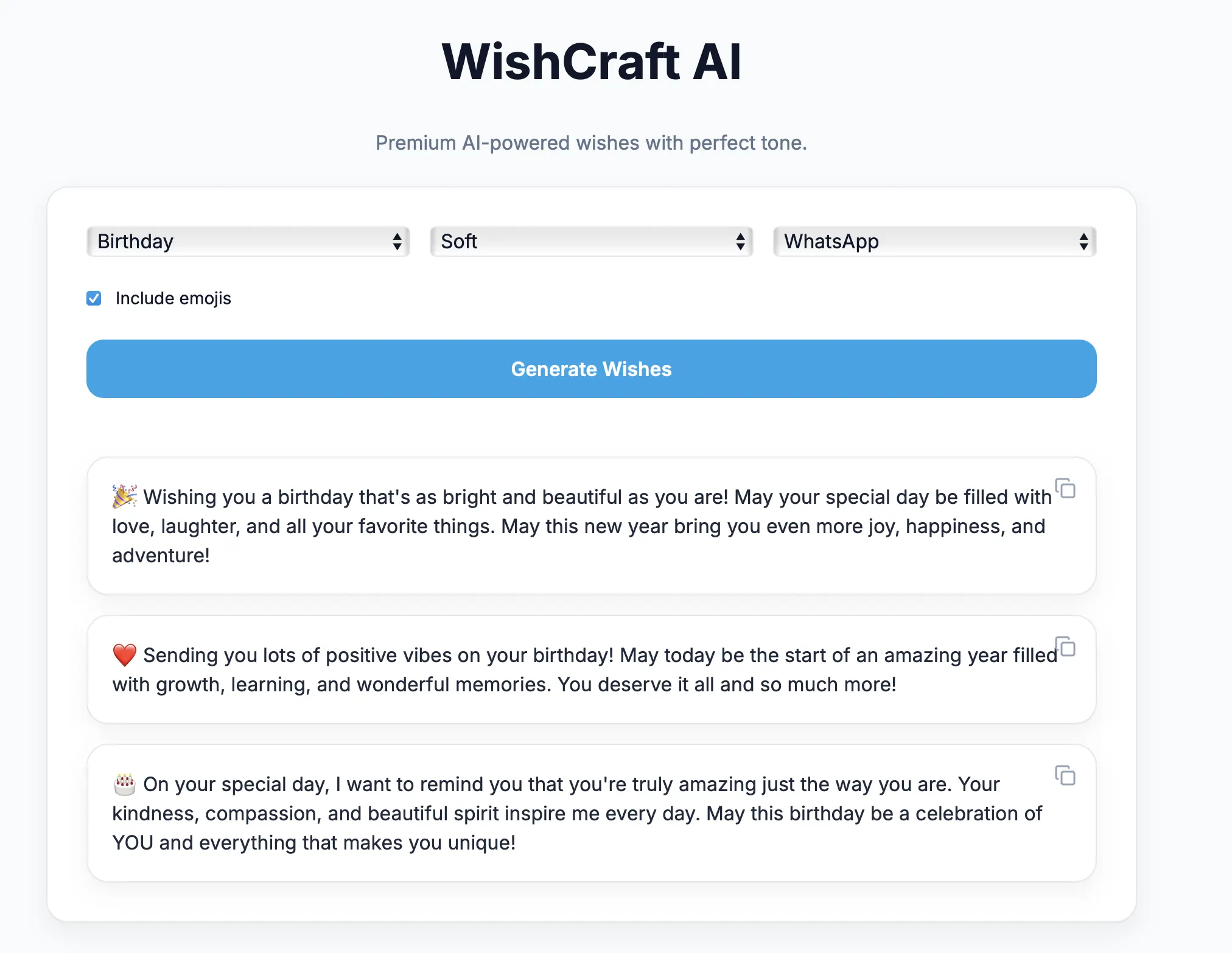
FastAPI, Local LLaMA Integration & Prompt Engineering for Reliable AI Output
🧠 Blog Series Context
This is Part 2 of our hands-on AI engineering series where we build a local LLM–powered AI Wish Generator from scratch.
If you haven’t read Part 1 yet, start here:
👉 Part 1 – Architecture, Local LLMs & AI Engineering Fundamentals
📘 Series Breakdown
| Part       | Topic
| ---------- | ---------------------------------------
| Part 1     | Architecture, local LLMs & fundamentals
| Part 2     | Backend & prompt engineering
| Part 3     | Frontend with Next.js
| Part 4     | Dockerization & cloud shipping
| Part 5     | AI Engineering Lessons from Building a Local LLM App
🎯 Objective of Part 2
In this post we will focus on the core intelligence layer of the application:
- Designing a clean backend API
- Integrating local LLaMA via Ollama
- Engineering prompts for predictable output
- Enforcing emotional and platform guardrails
- Generating multiple high‑quality wish options
This is where AI engineering actually happens.
🧱 Backend Architecture Overview
Client (UI)
   ↓ JSON
FastAPI Backend
   ↓ Prompt Builder
Ollama HTTP API
   ↓
Local LLaMA Model
The backend acts as:
- Input validator
- Prompt compiler
- AI behavior controller
- Output normalizer
The LLM never talks directly to the frontend.
🐍 Why Python + FastAPI?
FastAPI is ideal for AI systems because:
- Extremely fast (built on Starlette)
- Async-first architecture
- Automatic Swagger documentation
- Strong typing with Pydantic
- Clean separation of concerns
Most production AI platforms use Python-based services because LLM tooling, embeddings, and orchestration frameworks are Python-native.
🧩 Creating the FastAPI Application
Let’s start with a minimal but production-friendly FastAPI setup.
main.py
from fastapi import FastAPI
from app.schemas import WishRequest
from app.prompt import build_prompt
from app.llm import generate_wishes

app = FastAPI(
    title="WishCraft AI Backend",
    version="1.0.0"
)


@app.post("/generate-wish")
def generate_wish(request: WishRequest):
    prompt = build_prompt(
        category=request.category,
        tone=request.tone,
        platform=request.platform,
        with_emojis=request.with_emojis,
    )

    wishes = generate_wishes(prompt)

    return {
        "suggestions": wishes
    }
🔍 What’s happening here?
- FastAPI exposes a clean REST endpoint
- User intent is accepted as structured JSON
- Prompt creation is isolated from API logic
- LLM invocation is abstracted into a separate layer
This keeps the backend testable and scalable.
📦 Request Validation with Pydantic
Instead of accepting raw text, we define a strict schema.
schemas.py
from pydantic import BaseModel


class WishRequest(BaseModel):
    category: str
    tone: str
    platform: str
    with_emojis: bool = True
✅ Benefits
- Prevents malformed input
- Eliminates prompt injection risk
- Enables frontend auto-completion
- Documents API automatically
Strong input typing is essential in AI systems.
📁 Backend Folder Structure
backend/
│
├── app/
│   ├── main.py        # API routes
│   ├── schemas.py     # Request validation
│   ├── prompt.py      # Prompt engineering logic
│   └── llm.py         # Ollama integration
│
└── requirements.txt
Each responsibility is isolated — a key engineering principle.
🧩 Designing the API Contract
The frontend sends structured intent — not raw text.
Example request
{
  "category": "Birthday",
  "tone": "Soft",
  "platform": "WhatsApp",
  "with_emojis": true
}
This structure allows:
- Better validation
- Controlled prompt injection
- Predictable output
📦 Request Schema (Pydantic)
from pydantic import BaseModel

class WishRequest(BaseModel):
    category: str
    tone: str
    platform: str
    with_emojis: bool = True
Strong typing is critical when building AI pipelines.
🦙 Integrating Local LLaMA via Ollama
Ollama exposes local LLMs through a simple HTTP interface.
POST http://localhost:11434/api/generate
Example payload
{
  "model": "llama3",
  "prompt": "Your compiled prompt here",
  "stream": false
}
This makes LLMs behave like any internal microservice.
🔌 LLM Integration Layer
llm.py
import requests

OLLAMA_URL = "http://localhost:11434/api/generate"
MODEL = "llama3"


def generate_wishes(prompt: str) -> list[str]:
    response = requests.post(
        OLLAMA_URL,
        json={
            "model": MODEL,
            "prompt": prompt,
            "stream": False
        },
        timeout=120
    )

    output = response.json()["response"]

    wishes = [
        line.strip()
        for line in output.split("~")
        if line.strip()
    ]

    return wishes[:3]
🔍 Explanation
- Ollama runs fully locally
- No SDK or cloud dependency
- Simple HTTP-based inference
- Output is normalized before returning
This abstraction allows you to swap models easily later.
🧠 Prompt Engineering Is Not a String
Most beginner AI apps fail here.
❌ Bad prompt engineering:
Write a birthday wish.
This produces:
- Inconsistent output
- Uncontrolled tone
- Emoji overload
- Formatting breaks
✅ Structured Prompt Engineering
A production-grade prompt must behave like configuration.
prompt.py
def build_prompt(category, tone, platform, with_emojis):

    emoji_rule = (
        "Use platform-specific emoticons."
        if with_emojis
        else "Do not use emoticons."
    )

    return f"""
You are a professional human message writer.

Generate exactly 3 multi-line wishes.

Each wish must:
- Follow the selected tone
- Respect the platform writing style
- Use correct emoticon syntax

Platform rules:
- Slack → :tada: :rocket:
- WhatsApp → 😊🎉
- Instagram → ✨🌸

Occasion: {category}
Tone: {tone}
Platform: {platform}
Emoji rule: {emoji_rule}

Return only the wishes separated by ~ lines.
"""
🧠 Why this works
The prompt explicitly defines:
- Output count
- Formatting rules
- Emoji governance
- Platform context
This transforms the LLM from a chatbot into a deterministic generator.
🧩 Prompt as a Control System
Our prompt contains:
- Output contract
- Line limits
- Tone rules
- Platform emoji rules
- Safety guardrails
Example conceptually:
Generate exactly 3 wishes
Each must be multiline
Use Slack emoticons only
Never mix emoji formats
Max one emoji per line
The LLM becomes deterministic.
🎭 Platform-Specific Emoticon Control
One of the most powerful improvements:

| Platform  | Emoticon Style  |
| --------- | --------------- |
| WhatsApp  | Unicode 😊🎉    |
| Instagram | Aesthetic ✨🌸   |
| Facebook  | Simple 🙂🎈     |
| Slack     | :tada: :rocket: |
| Teams     | (y) (clap)      |

This dramatically improves output realism.
🧠 Multi-Option Wish Generation
Instead of returning one answer, the backend generates:
- Option 1 – concise
- Option 2 – alternate wording
- Option 3 – expressive
Why?
Because creative output is subjective.
Multiple options increase:
- User satisfaction
- Perceived intelligence
- Product quality
🛡️ Guardrails Matter
Without rules, LLMs will:
- Overuse emojis
- Sound robotic
- Break formatting
- Produce unsafe condolence text
Guardrails enforce:
- Emotional sensitivity
- Platform etiquette
- Professional tone
This is critical in production AI.
🔄 End-to-End Request Flow
UI Input
   ↓
FastAPI schema validation
   ↓
Prompt compilation
   ↓
Local LLaMA inference
   ↓
Post-processing
   ↓
JSON response
Each layer has a single responsibility.
This architecture prevents fragile AI pipelines and makes debugging easy.
🧠 Why This Backend Design Scales
The same structure supports:
- RAG systems
- AI agents
- Workflow automation
- Chatbots
- Copilots
Only the prompt logic changes.
🔜 What’s Coming in Part 3
In the next post we’ll build:
- A modern Next.js SPA
- Device‑agnostic UI
- Elegant input controls
- Copy‑to‑clipboard UX
👉 Part 3 – Building the Frontend with Next.j
✨ Final Thoughts
The backend is the brain of any AI application.
Not the model.
Not the UI.
But the system that controls:
- how the model thinks
- what it can say
- how safe it behaves
Master this layer — and you master AI engineering.